19th August 2024
By Luke Lv, Founder, Lumira Studio
Direct answer
Sound design for video is the deliberate construction of every audio element on the timeline: dialogue, music, sound effects, ambient sound and silence. It is the post-production stage that most separates professional work from amateur work, because viewers forgive a weak picture far longer than they forgive weak sound. The fastest way to get better audio is to follow a repeatable five-step workflow: capture clean audio at the source, record room tone at every location, edit the dialogue first, layer in music and effects, then mix and master to your delivery platform. Most of the quality is won on the shoot day, where clean audio is cheap to capture and almost impossible to rebuild later.
This guide walks through that workflow in order, with the levels, mic distances and tools that make it work in practice.
Why sound design decides perceived quality
Audio is the fastest signal an audience uses to judge whether a video is professional. A clear voice in a treated room reads as polished even on modest camera footage. Muddy, echoey or distorted audio reads as amateur even on a cinema camera.
The asymmetry is the part most people underestimate. Bad picture is tolerated for surprisingly long; a viewer will sit through soft focus or imperfect grading. Bad sound loses them in seconds, because straining to hear is physically tiring in a way that looking at an average image is not.
This is why serious shoots treat sound as a priority discipline, not an afterthought. On a well-run set, the shoot does not move on to the next take until the audio is clean. Amateur shoots tend to reverse that order, chasing the shot and accepting whatever sound comes with it, then paying for the decision in post-production where the fixes are slow and the results are compromised.
Step 1: Capture clean audio at the source
The cheapest place to fix audio is on the shoot day. The most expensive is in post. Three production disciplines do most of the work.
Get a dedicated microphone close to the subject. A lavalier (lapel mic) sitting 6 to 8 inches from the speaker’s mouth, or a shotgun mic on a boom angled in from just out of frame, beats any built-in camera microphone at distance. The single biggest determinant of dialogue quality is the distance from mouth to microphone. Closer is almost always better.
Treat the room. Hard surfaces and high ceilings produce echo and reflections that no plugin fully removes. Soft furnishings, carpet, curtains, or a few acoustic panels turn a difficult room into a usable one. You are not building a studio, you are killing reflections.
Monitor your levels on a meter, not by ear. Audio that peaks into distortion is unfixable; once the waveform clips, the information is gone. Aim for dialogue peaks around -6dB and an average around -12dB, watched on a meter as you record. Headphones tell you about noise and tone. The meter tells you about level. You need both.
Step 2: Capture room tone at every location
Record 30 seconds of “silent” ambient sound at every shooting location, using the same microphone and settings as the dialogue. This is room tone, and it is the most undervalued 30 seconds of any shoot.
In the edit, that recording becomes a continuous bed laid underneath the dialogue. It fills the dead air between takes, smooths the joins where you cut between angles, and gives the soundtrack a sense of place. Without it, every dialogue cut lands on a tiny pocket of true silence, and the audience hears the edit even when they cannot name what is wrong. It is free, it takes half a minute, and it changes the finished result.
Step 3: Edit the dialogue first
In post-production, dialogue is the spine of the soundtrack. Lock the picture edit, then build the dialogue track through a sequence of passes before any music or effects go near the timeline.
- Selection pass. Choose the best take for each line, judged on delivery and on audio cleanliness, not just performance.
- Cleanup pass. Remove distracting breaths, mouth clicks and stray background noise. Repair tools such as iZotope RX make this far quicker and cleaner than manual editing.
- Levels pass. Balance the track so every line sits at a consistent perceived loudness, and apply light compression to control the dynamics without flattening them.
- EQ pass. Roll off the low end below around 80Hz to clear rumble, add a gentle presence lift around 4 to 6kHz for clarity, and de-ess only if sibilance is genuinely harsh.
Get the dialogue sitting right on its own first. Everything you add afterwards is in service of it.
Step 4: Layer the supporting elements
With clean dialogue in place, build the world around it. The order matters, and so does restraint.
| Layer | What it does | Watch out for |
|---|---|---|
| Room tone bed | Fills the gaps under dialogue and smooths cuts | Use the take from the matching location |
| Sound effects | Specific, on-screen actions: footsteps, door closes, equipment | Keep them motivated by the picture, not decorative |
| Ambient atmosphere | Wider environmental texture: office hum, exterior air, room space | Adds depth; too much turns to mud |
| Music | Sets emotional register and pace | Duck it under dialogue with automation |
Music is the layer people lean on too hard. It should support the emotion the dialogue is already carrying, not replace it. Whenever someone is speaking, the music drops with ducking automation so the voice always stays clearly on top.
Step 5: Final mix and master to the platform
The final pass balances every layer together and sets the overall loudness for where the video will actually play. This is the step amateurs skip, and it is the one that decides whether your audio sounds right next to everyone else’s on the same platform.
Different platforms normalise to different loudness targets. Master to the wrong one and the platform either turns your audio down (if you are too loud) or plays it quietly while louder uploads dominate (if you are too soft).
| Delivery platform | Loudness target |
|---|---|
| YouTube | -14 LUFS integrated, -1 dBTP true peak 1 |
| Broadcast (Europe / UK, EBU R128) | -23 LUFS 2 |
| Broadcast (US, ATSC A/85) | -24 LKFS 2 |
| Mobile-first social | around -16 LUFS, mixed for autoplay with captions |
LUFS measures perceived loudness across the whole programme, which is why it is the unit platforms use rather than peak level. Hit the target for your destination and your video sits at a comfortable, consistent volume against everything around it.
The five steps at a glance
| Step | Stage | The one thing that matters |
|---|---|---|
| 1 | Capture clean audio | Mic close to the subject; levels on a meter |
| 2 | Record room tone | 30 seconds at every location |
| 3 | Edit dialogue first | Selection, cleanup, levels, EQ in that order |
| 4 | Layer supporting elements | Music ducks under dialogue, always |
| 5 | Mix and master | Match the platform’s loudness target |
Tools for sound design
You do not need an expensive setup to get professional results. The free option is genuinely capable.
| Tool | Use | Cost |
|---|---|---|
| DaVinci Resolve (Fairlight) | Full audio post inside the same app as edit and grade | Free |
| Adobe Audition | Dedicated audio editing alongside Premiere Pro | Subscription |
| iZotope RX | Dialogue cleanup, noise reduction, repair | Mid-tier |
| Pro Tools | Industry standard for high-end audio post | Subscription |
| Musicbed / Artlist / Epidemic Sound | Licensed music libraries | Subscription |
Common sound design mistakes
- Letting music do the emotional work. Heavy music under weak dialogue does not rescue the dialogue. It buries the problem.
- Skipping room tone. Cuts between takes feel abrupt and the soundtrack loses its sense of place.
- Dialogue and music at similar levels. The viewer should never strain to hear the speaker. Music ducks, always.
- Over-processing. Aggressive compression, heavy de-essing or too much reverb produces audio that sounds synthetic and tiring.
- Skipping the platform master. One export uploaded everywhere plays back at inconsistent loudness across platforms.
Frequently asked questions
What is sound design in video production?
Sound design is the deliberate construction of every audio element in a video: dialogue, music, sound effects, ambient sound and silence. It spans recording, editing, mixing and mastering. It is the post-production stage where most of the perceived professional polish is built or lost.
How do I get better audio in my videos?
Start at the source. Use a dedicated microphone close to the subject, treat the room to reduce echo, and watch your levels on a meter so nothing distorts. Record 30 seconds of room tone at each location, edit the dialogue clean before adding anything else, then mix and master to your delivery platform. Most of the improvement comes from the shoot day, not the edit.
Is sound more important than picture quality?
In practice, yes. Viewers tolerate an imperfect picture far longer than imperfect sound, because straining to hear is genuinely uncomfortable. A clear voice in a treated room does more for perceived production value than an expensive camera with poor audio.
What microphone should I use for video dialogue?
A lavalier (lapel) microphone placed 6 to 8 inches from the mouth, or a shotgun microphone on a boom angled in from just outside the frame. Both sit far closer to the subject than a camera-mounted mic, and that distance is the single biggest factor in dialogue quality.
What software should I use for sound design?
For free professional output, DaVinci Resolve’s built-in Fairlight page handles full audio post. For dialogue cleanup, iZotope RX is the standard. For dedicated audio work, Adobe Audition or Pro Tools. For licensed music, Musicbed, Artlist or Epidemic Sound.
How long does sound design take in post-production?
For a three to five minute corporate video, allow roughly half a day to a full day of focused audio work. For a brand film with multiple locations, music timing and detailed effects, one to three days. Cutting this stage short almost always shows in the finished piece.
The takeaway
Good sound design is not about expensive gear. It is about order and discipline: capture clean audio at the source, protect the dialogue, then build everything else around it and master to the platform. Get the first step right on the shoot day and every later step becomes easier. Skip it, and no amount of post-production fully recovers the result.
If you have footage that needs the audio brought up to a professional standard, or you are planning a shoot and want the sound handled properly from the start, that is the kind of work we do at Lumira Studio. You can reach me at [email protected].
Sources
Footnote references
- YouTube loudness normalisation target of -14 LUFS integrated with a -1 dBTP true peak ceiling, as documented across audio production references including Critical Listening Lab, YouTube Loudness Normalization and Tools for Film, LUFS, dBFS, and Loudness Normalization: What Filmmakers Need to Know.
- Broadcast loudness standards: EBU R128 references -23 LUFS (Europe and UK) and ATSC A/85 references -24 LKFS (US and Canada), both built on the ITU-R BS.1770 measurement algorithm. See EBU, R 128 Loudness Normalisation and Permitted Maximum Level of Audio Signals and EBU R 128 (Wikipedia summary).
From the studio
A year of content, filmed in one day.
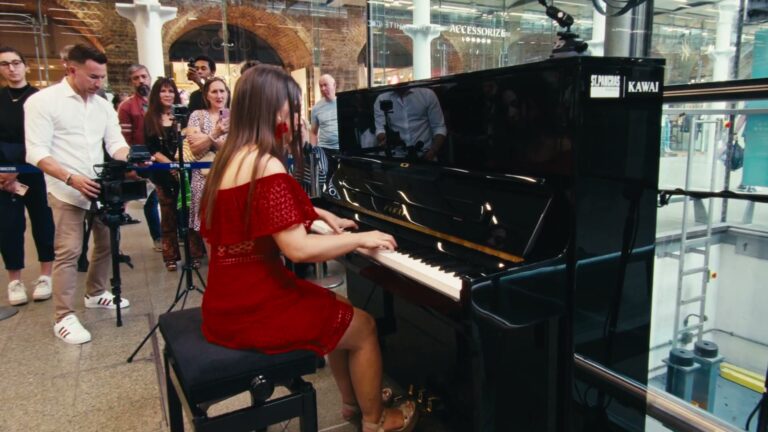
Kawai UK needed 104 films and had the budget for one filming day. We wrote every script first, then filmed all 104 in eight rooms with two crews.